QUALIFYING
Focus your push laps. Maximum signal, zero noise.
Included Modules
- Speedometer
- Gear Indicator
- Throttle
- Brake
- G-Force
- Racing Line
- Lap Comparison
Master every daily race and crush weekly challenges with pro-level GT7 guides and setups sent right to your inbox for free.
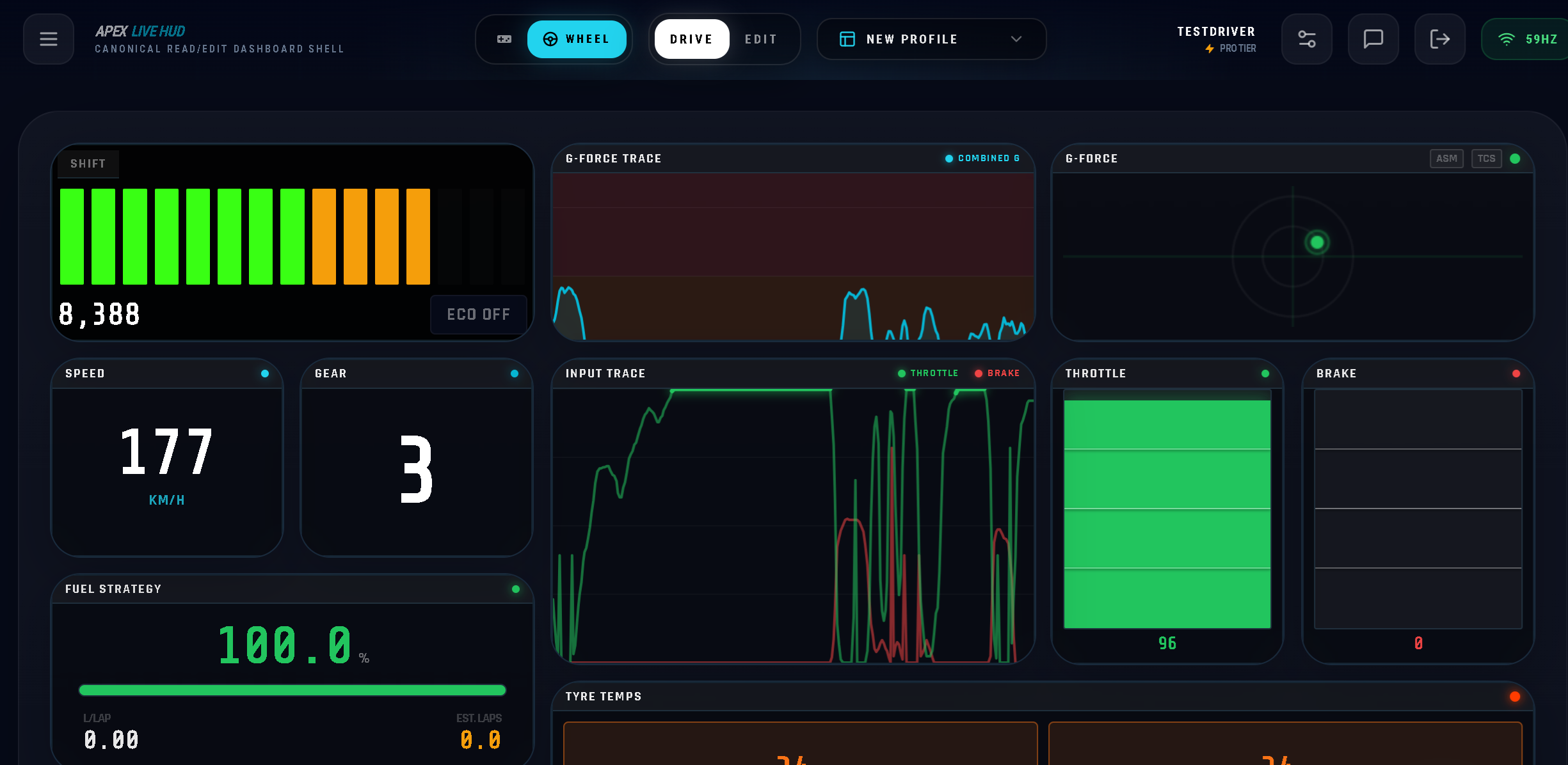
REAL-TIME DRIVER HUD
Stream technical telemetry directly from your PS5 at 60Hz.
Your second screen becomes a live instrument panel.
Connect free. Race immediately.
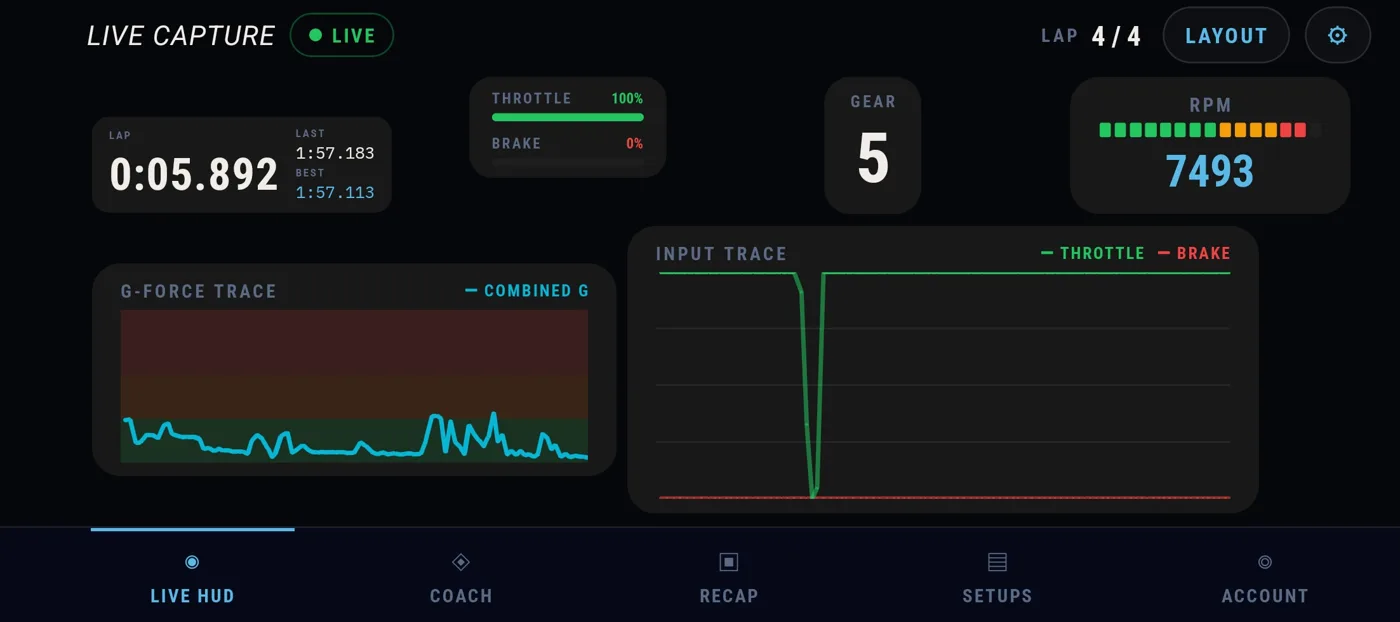
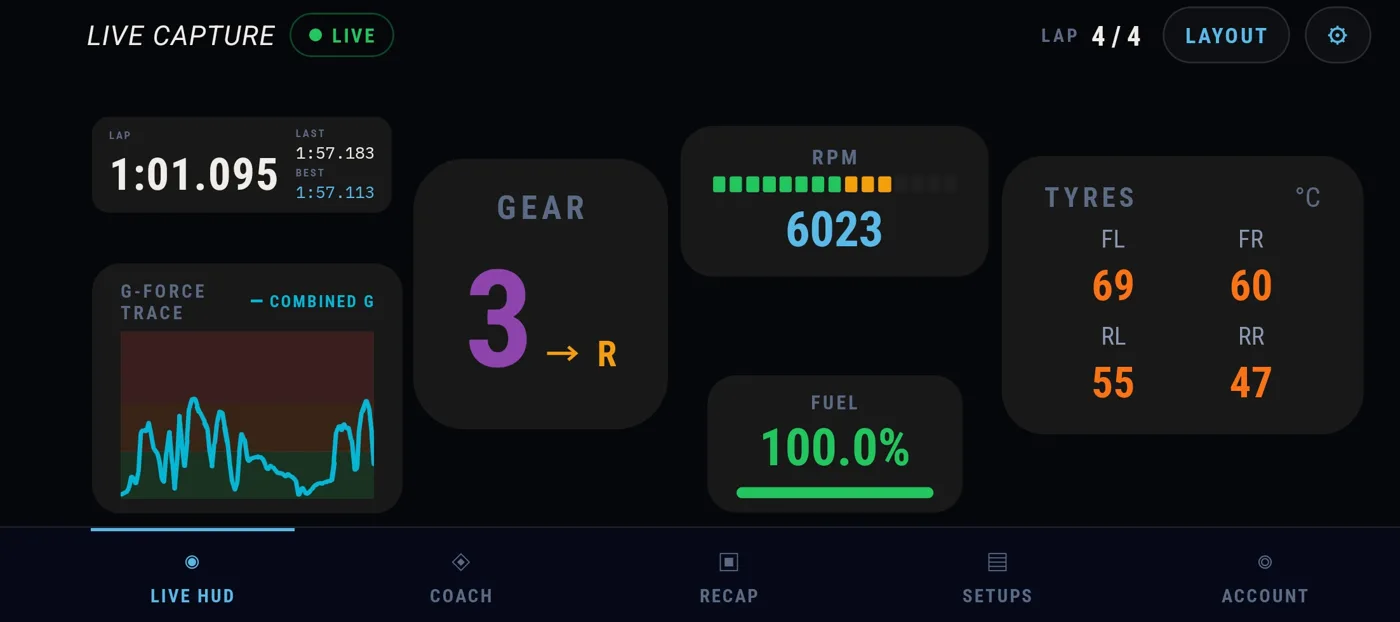
The race is won in the details: the corner you keep missing, the setup you cannot remember. The Apex Android app puts your live HUD and every car setup on the phone or tablet next to your wheel, so you spend your laps driving, not searching.
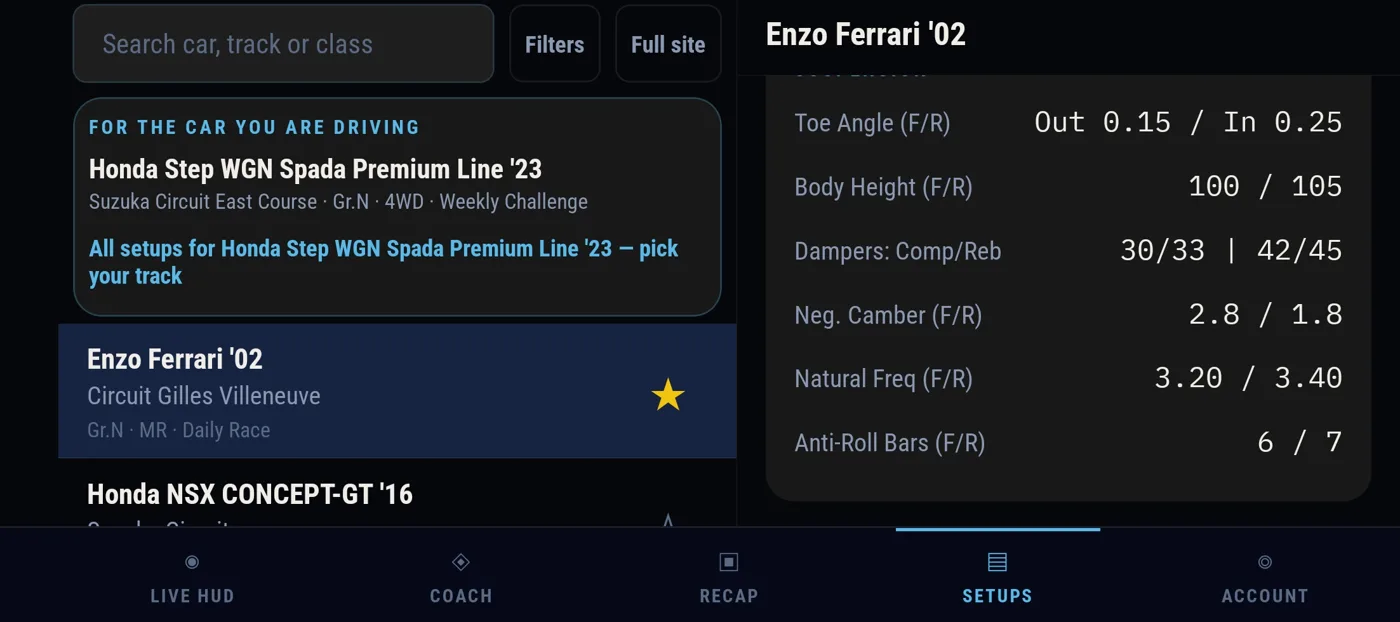
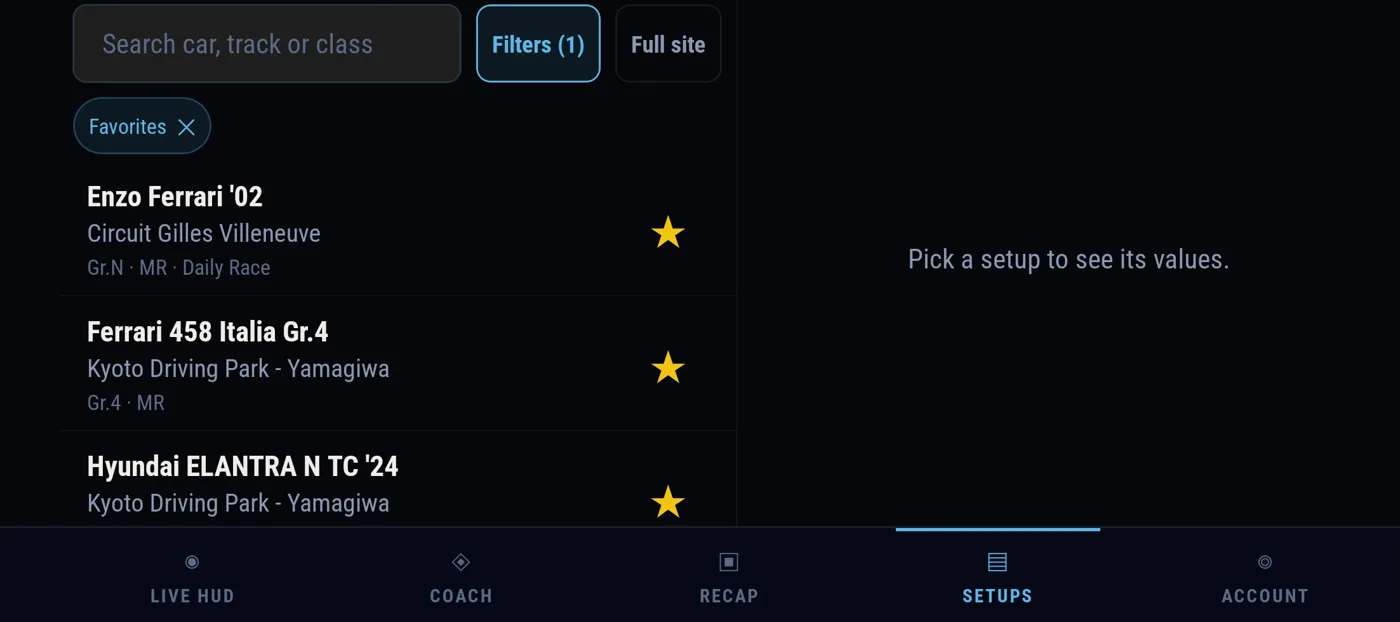
Be one of the first
Get the invite when your turn comes.
For Android phones and tablets. Works with Gran Turismo 7 on PS5. Testers are invited to the Google Play test group in waves.
You are almost on the grid
Check your inbox.
We sent a confirmation link to .
YOUR STARTING LINE
Focus your push laps. Maximum signal, zero noise.
Included Modules
Manage the full stint. Strategy over speed.
Included Modules
Recommended
Understand why you're slow. Physics over instinct.
Modules
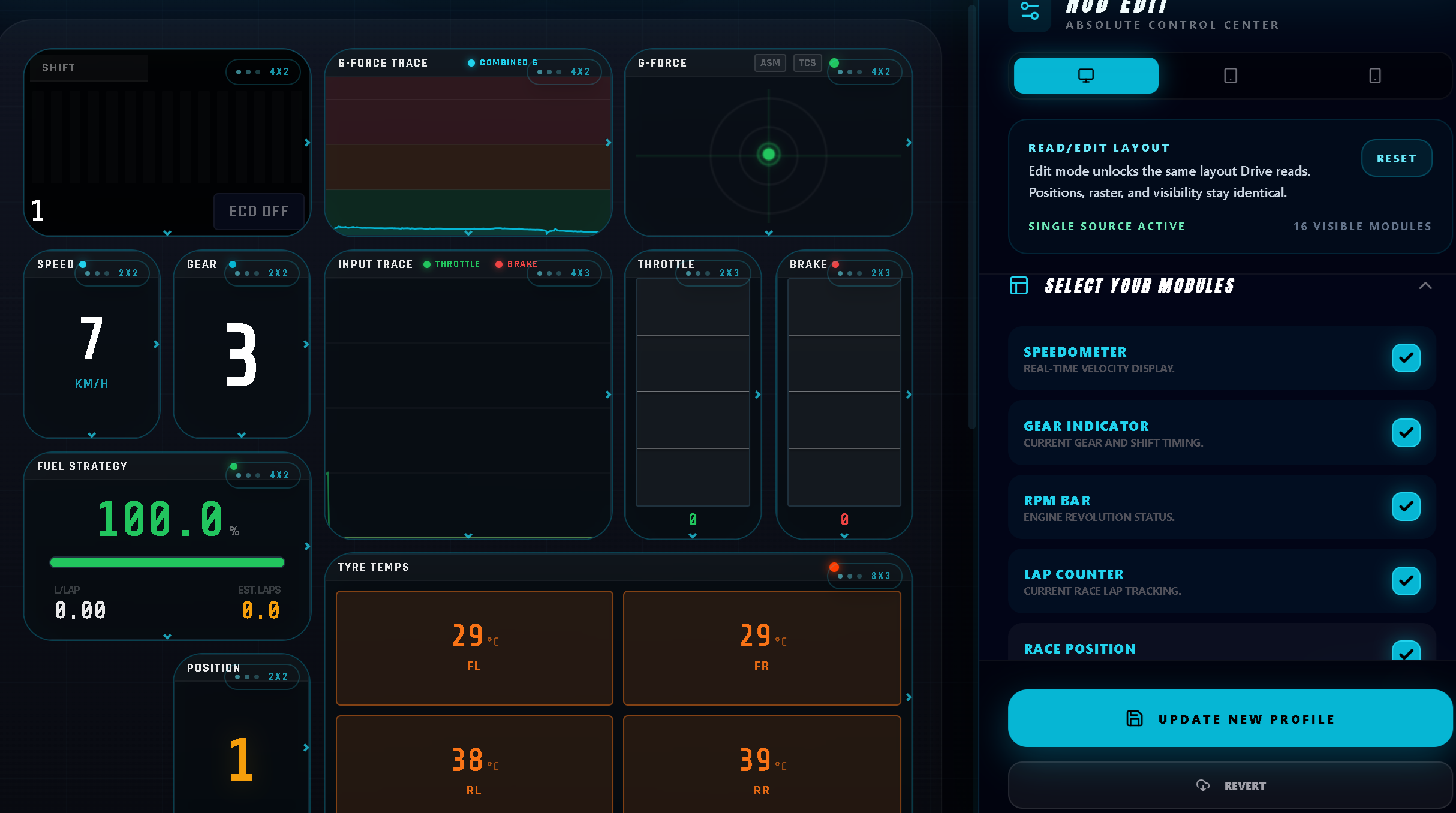
"Every template is a starting point. Drag, resize, and save your own."
What You Get
Live speed as you drive.
Current gear at a glance.
Engine revs — time your shifts.
Track where you are in the session.
Your live field position.
Live throttle input.
Live brake input.
Throttle and brake history over time.
Live temperature across the tyre surface.
Fuel load and laps remaining on current tank.
Your line through the corner, lap to lap.
See how this lap stacks up against your others.
Live lateral and longitudinal load.
How your G-load built up over the last stretch.
Customization
Build your own layout — drag, resize, and arrange every widget exactly how you want it. Save multiple layouts and switch between them whenever you need to.
Currently supports Windows. Android app in closed beta — join the test group. iOS to follow.
SETUP
01
Install the Windows desktop app. It reads your PS5 UDP telemetry stream at 60Hz over your local network. No capture card. No mods.
Sign in to download →02
Make sure your PS5 is on the same home network as the PC running the Agent. GT7 broadcasts its telemetry stream automatically once a session starts — no in-game setup needed.
03
Launch apex-telemetry.com/hud on any device — phone, tablet, or second monitor. Load a template. Start your session.
Free forever. Takes under a minute to set up.
GET STARTED FREE →